Production prompt Favorited
Product launch messaging
Write launch messaging for {{product}} that opens with {{audience}}'s problem, demonstrates the outcome, and ends with one clear action.
Accuracy92%
Product launch messaging
Write launch messaging for {{product}} that opens with {{audience}}'s problem, demonstrates the outcome, and ends with one clear action.
Organize prompts, manage context, test models, compare results, collaborate, and ship from one workspace.
From first draft to production, keep every prompt decision connected.
Keep prompts, context, versions, experiments, results, and team decisions connected from first draft to production.
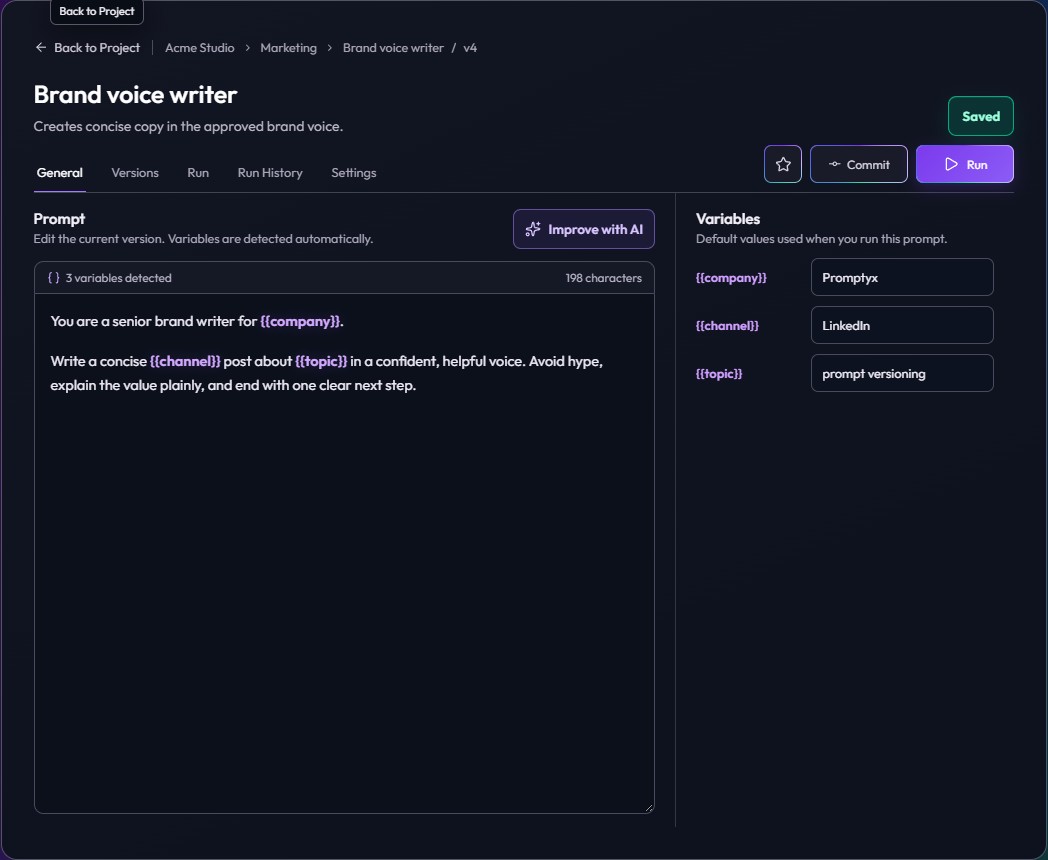
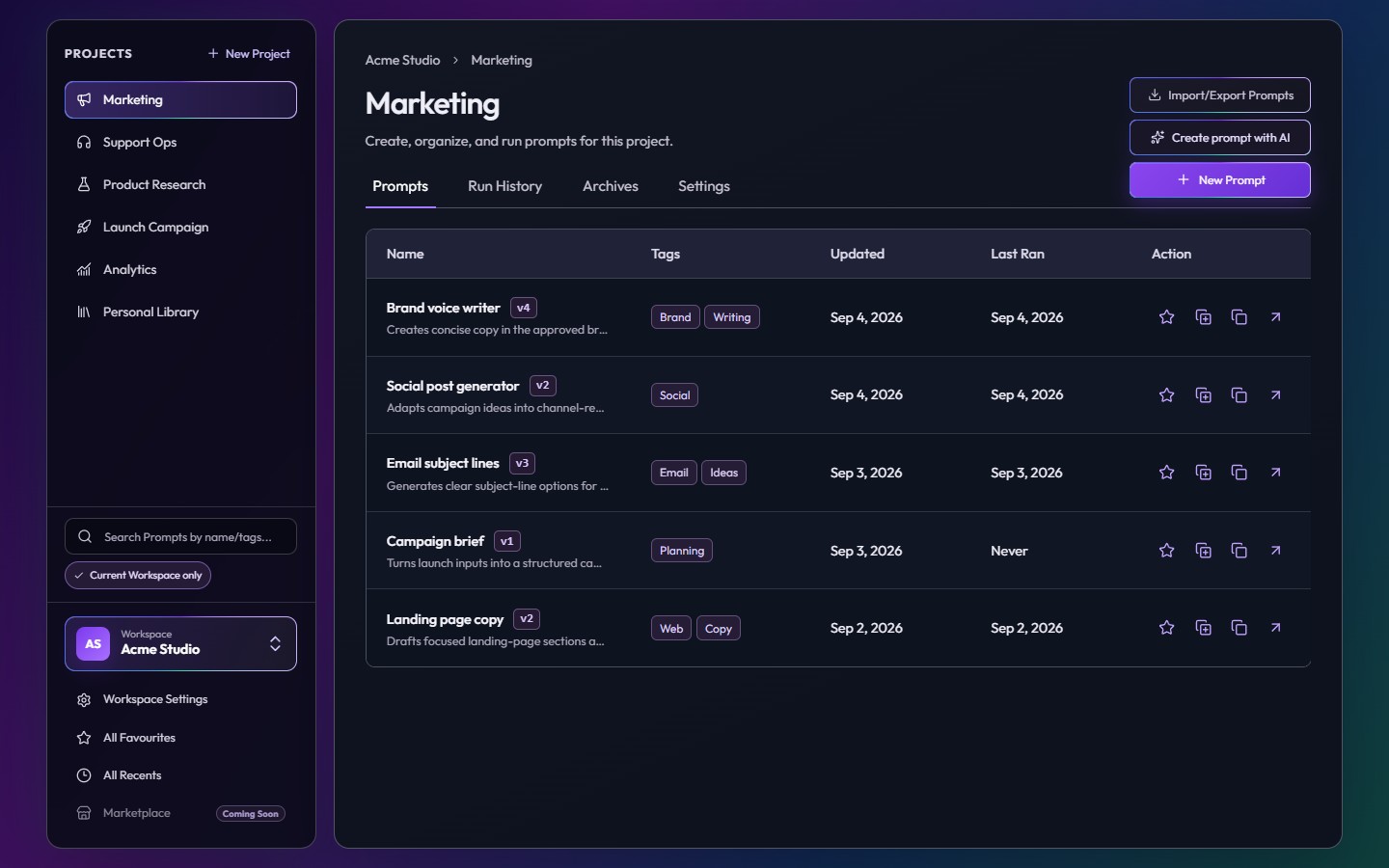
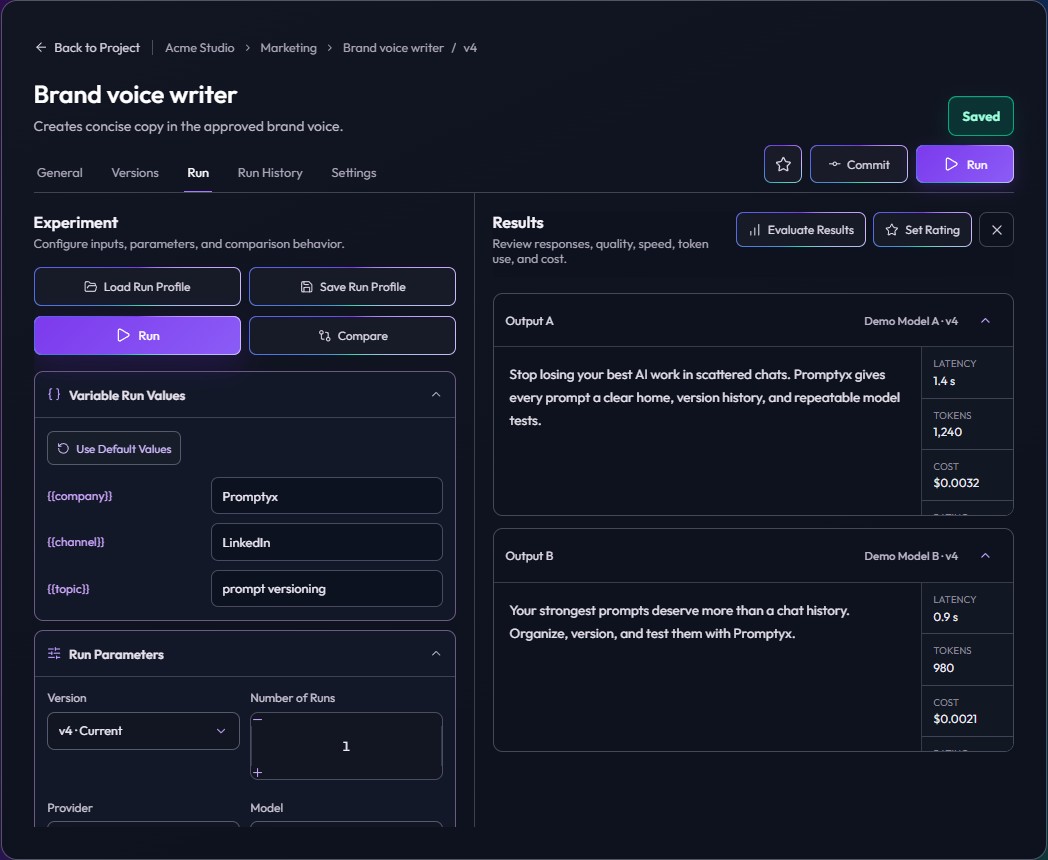
Strong enough for professionals.
Select a neighboring card to browse audience roles. When focused, use the left and right arrow keys.
Reuse proven workflows for research, scripts, and recurring formats.
Test campaigns and brand messaging, then reuse what works.
Start individually, then add capacity and teammates when your prompt system expands.
Loading current plan details...

Loading current plan details...
Loading current prices and limits...
This is base pricing, excluding taxes for subscriptions. Credits are separate 1-time purchases needed for prompt runs and model executions.
The practical details about managing, testing, sharing, and shipping prompts.
Promptyx is a workspace for organizing, versioning, testing, evaluating, collaborating on, and deploying AI prompts. It keeps prompts and the decisions around them connected.
Promptyx is for anyone who repeatedly works with prompts, including creators, marketers, founders, analysts, developers, prompt engineers, and AI teams.
No. Promptyx is approachable for individual prompt users while still supporting advanced experiments, context, versioning, APIs, and team workflows.
Prompts live inside projects and workspaces. Tags, favorites, archives, search, and recent activity keep growing libraries understandable.
Yes. Prompts can use variables with default or run-specific values, while workspace and project context provide shared background, requirements, and guidelines.
Yes. Import prompts from JSON, JSONL, or CSV, and export them in JSON, JSONL, CSV, or Markdown formats.
Yes. Commit named versions, preserve author and evaluation information, compare exact changes, and restore earlier work.
Yes. Compare multiple models or prompt versions while keeping inputs and settings consistent.
Runs can retain the action, prompt or version, model and provider, response, success state, tokens, cost, latency, parameters, and evaluation results.
Yes. The Free plan is intended for evaluating Promptyx and managing smaller prompt workflows.
Individual plans increase personal storage and usage limits. Team plans add seats, shared workspaces, role-based access, project overrides, and pooled owner-funded usage.
Collaborator access is suspended immediately. The owner retains recovery access and can renew before re-enabling and reallocating Team Workspace seats.
Yes. The read-only public API can load managed prompt metadata and current version content into external applications and workflows.
Yes. System API keys can be scoped to a workspace, selected projects, explicit permissions, active state, and rotation lifetime.
Promptyx prompts can be fetched through the API for compatible tools and custom integrations. Dedicated integrations can be added as the platform expands.
A Team plan provides a shared seat pool. The owner enables collaboration for selected workspaces and distributes purchased seats between them.
Workspace and project access use Observer, Member, and Admin roles. Project-specific access can override an inherited workspace role.
The workspace owner pays for shared storage, credits, and AI usage. Collaborator actions remain attributed to the person who performed them.
Start with one prompt. Add context, versions, experiments, evidence, and teammates as your workflow grows.